
obsession A life full of things.
A story behind each one.

The camera you took everywhere. The shoes that went the distance. Keep your collections, your reasons, and the little moments that make them yours.

Get it on Google Play Download on the App Store

Free. No ads. Your phone collection still works without an account.

For iPhone and Android. Online access becomes available as sign-in and native sync are enabled.

A 30-second tour, with music. Real app screens with illustrative sample collections.
What the video shows
  1. "What can't you stop buying?" The app's first question, then "For the things you can't stop collecting."
  2. "Write down why you bought it." A photo peels into a sticker and lands on the shelf as possession number one.
  3. "Count the days you've owned it." The shelves, and a sandal at 1,520 days.
  4. "Love it, again and again." The love heart, and a slip that prints the owner's own words.
  5. "Bragging rights." The best things the web says about what you own.
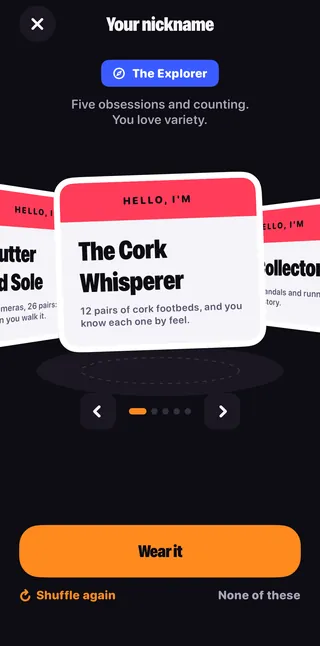
  6. "Your nickname." We read your shelves and suggest five names.
  7. "Old favourites come back." A flashback and a quick duel.
  8. "Remember why you bought it. Your collection. Your choice. No ads."

Shelve it

Shelved in under a minute.

Pick what you collect and photograph the thing. The background peels away into a sticker, right on your phone. Say why you chose it, and it's on the shelf.

  1. Pick
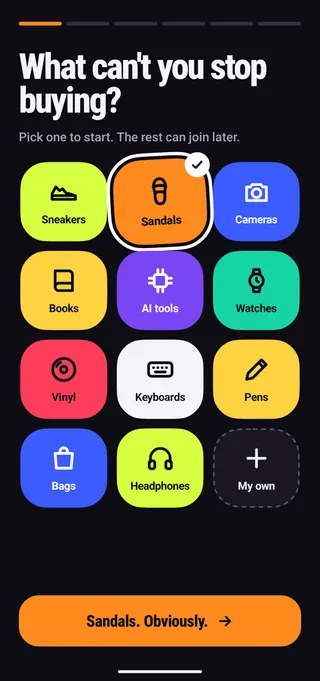
    The first screen asks: What can't you stop buying? Tiles for sneakers, sandals, cameras, books, watches, vinyl, keyboards, pens, bags and more.

    What can't you stop buying? Pick one to start. The rest can join later.

  2. Peel
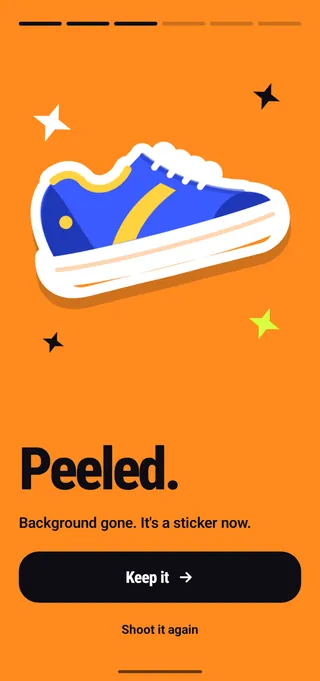
    A running shoe cut out as a sticker on an orange screen. Peeled. Background gone. It's a sticker now.

    Shoot it and the background peels away. It's a sticker now.

  3. Why
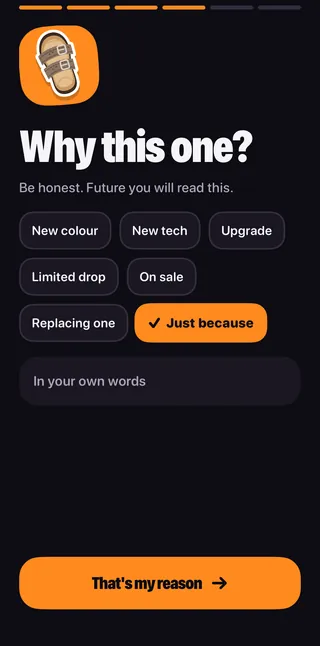
    Why this one? Reasons to tap: New colour, New tech, Upgrade, Limited drop, On sale, Replacing one, Just because, and a box for your own words.

    Why this one? Tap a reason or use your own words. Future you will read this.

  4. Number one
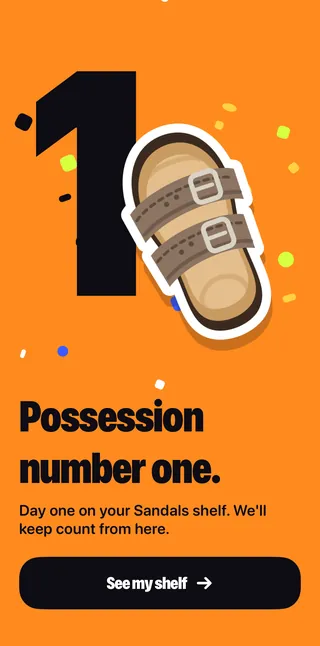
    A huge number 1 beside a sandal sticker: Possession number one. Day one on your Sandals shelf.

    Possession number one. Day one on the shelf, and the count starts.
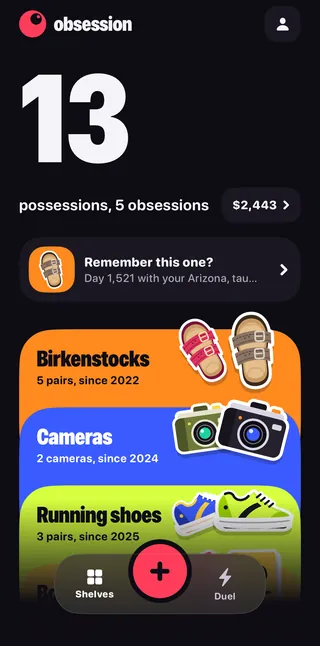
Your shelves

Count the days you've owned it.

Every obsession gets its own shelf: sneakers, cameras, plants, records, whatever yours is. Each thing counts up the days since you got it.

  • A shelf for each obsession, stacked on Home
  • Days owned, counted up
  • An honest total, and what each thing costs per day
  • Why you bought it, kept in your own words
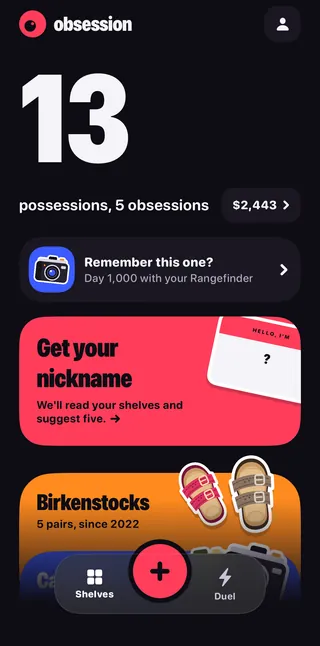
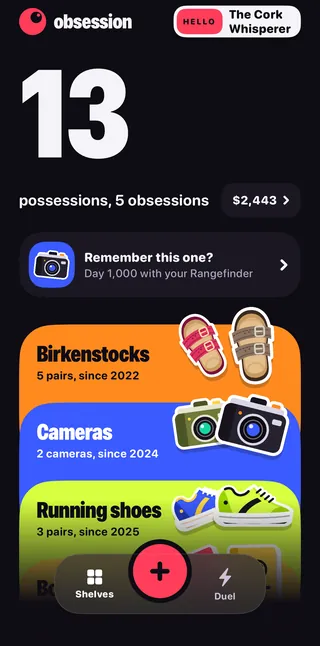
  • Home: 13 possessions across 5 obsessions, with stacked shelves for Birkenstocks, Cameras and Running shoes.
    Your shelves, stacked.
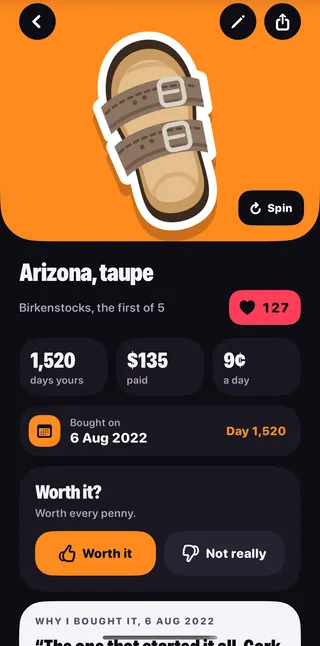
  • A sandal called Arizona, taupe, loved 127 times: 1,520 days yours, 135 dollars paid, 9 cents a day.
    1,520 days yours. 9¢ a day.

Made for the things you love.

The love heart

Love it, again and again.

No ratings out of five. One heart, as many times as you like. Tap fast for a combo, hold it for a heartbeat, or double-tap the sticker.

Love prints a surprise. The first love of a visit, and every tenth, prints a little slip you can tear off. It might quote your own words back to you, count your days together, or share one of your bragging rights.

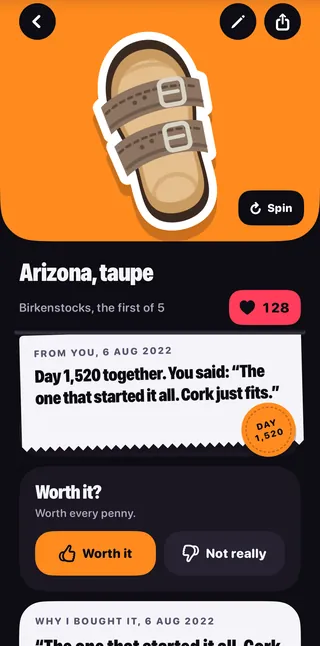
  • The love heart at 128 above a printed slip: From you, 6 Aug 2022. Day 1,520 together. You said: The one that started it all. Cork just fits. A round stamp reads Day 1,520.
    Day 1,520 together, in your words.
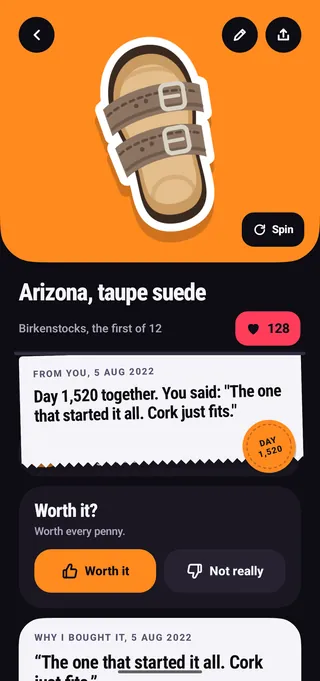
  • On Android, the same slip under Arizona, taupe suede, loved 128 times, with the Day 1,520 stamp.
    The slip, on Android.
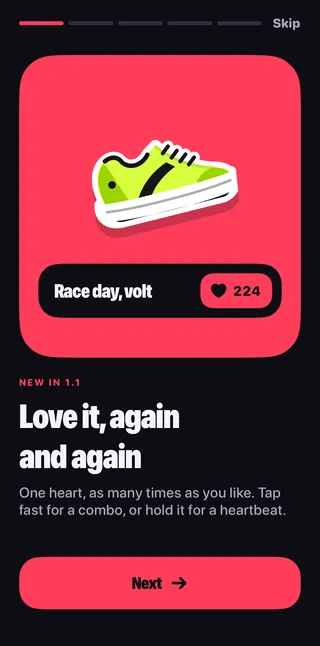
  • A card reading: Love it, again and again. One heart, as many times as you like. Tap fast for a combo, or hold it for a heartbeat.
    One heart, no limit.

Made for the things you love.

Optional. It asks first.

Bragging rights

The best things the web says about what you own.

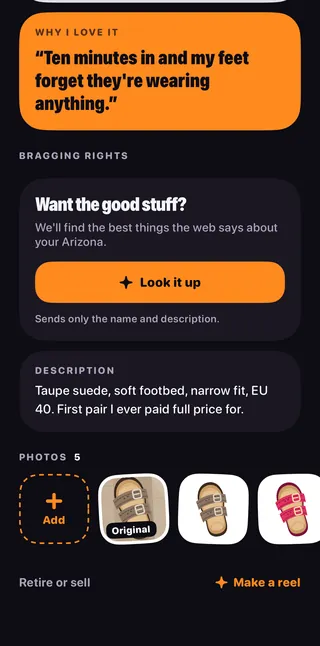
With every source. Only the good parts. Tap Look it up and AI reads what the web says about your thing, keeps the proud facts with links to where they came from, and finds a few videos.

Before the first look-up it shows exactly what will be sent and asks you. It sends the thing's name and description, never your photos, prices or reasons. What the AI features send

  • On a possession, a Bragging rights card: Want the good stuff? We'll find the best things the web says about your Arizona. A Look it up button and the line: Sends only the name and description.
    Want the good stuff?
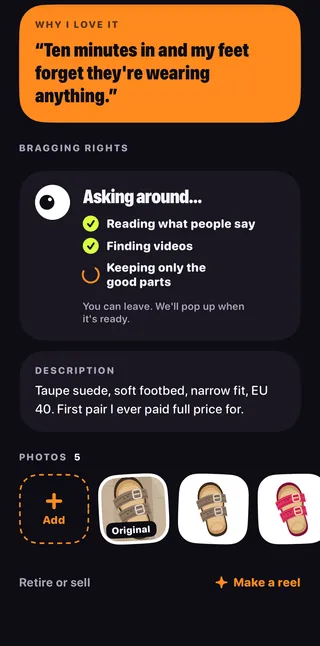
  • Asking around: Reading what people say, Finding videos, Keeping only the good parts. You can leave. We'll pop up when it's ready.
    Asking around.
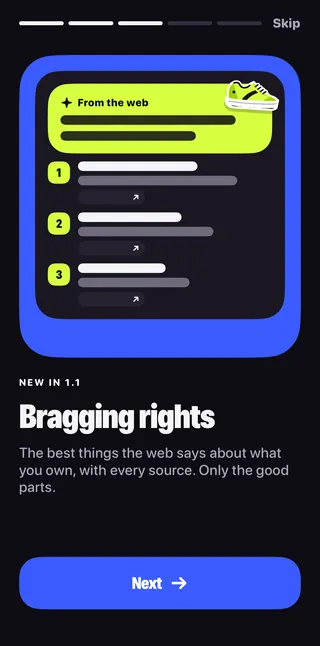
  • A card reading: Bragging rights. The best things the web says about what you own, with every source. Only the good parts.
    Only the good parts.

Made for the things you love.

Optional. It asks first.

Your nickname

We read your shelves and suggest five names.

Wear one, or none. Only flattering ones. Wear it and it sits on Home and on your share cards. Shuffle for new ones, type your own, or take it off.

It sends the names of your shelves and things, how many, and the year each began. Never photos, prices or descriptions. How nicknames work

  • Home with a pink card: Get your nickname. We'll read your shelves and suggest five.
    Get your nickname.
  • Your nickname: a collector type, The Explorer, and a name tag reading Hello, I'm The Cork Whisperer, with a Wear it button.
    Hello, I'm The Cork Whisperer.
  • Home wearing the nickname: a Hello tag reading The Cork Whisperer in the header.
    Worn on Home.

Flashbacks and duels

Old favourites come back.

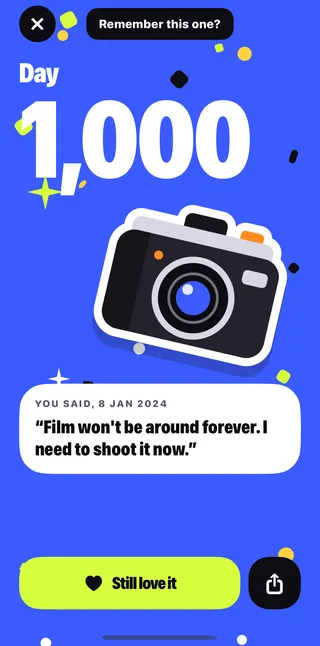
Remember this one? A flashback brings back something you've had for a while, with what you said about it. Tap Still love it and it prints a slip.

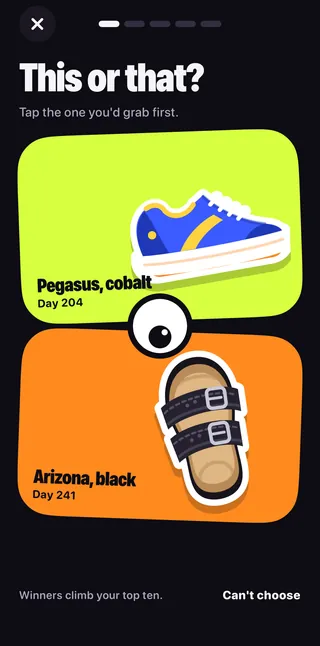
This or that? Quick duels between your own things. Tap the one you'd grab first. Winners climb your top ten.

Flashback reminders are off until you turn them on, and come at most once a week, plus milestone days.

  • A flashback on blue: Day 1,000 with a camera sticker and a quote from 8 Jan 2024: Film won't be around forever. I need to shoot it now. A Still love it button.
    Remember this one?
  • This or that? Tap the one you'd grab first. Pegasus, cobalt on day 204 against Arizona, black on day 241.
    This or that?

Share it

Brag a little.

Turn anything on your shelves into a share card or a collage, and send it wherever your phone can share.

  • Share cards and collages
  • Reels made on the phone: five seconds, vertical (iPhone)
  • A 360° spin you capture by walking around the object
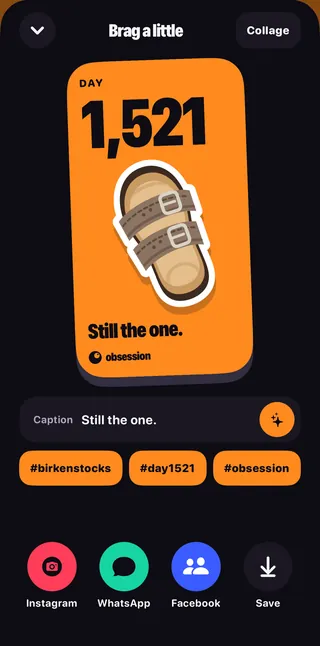
  • Brag a little: a share card reading Day 1,521. Still the one. with a caption, hashtags, share buttons and Save.
    A share card.
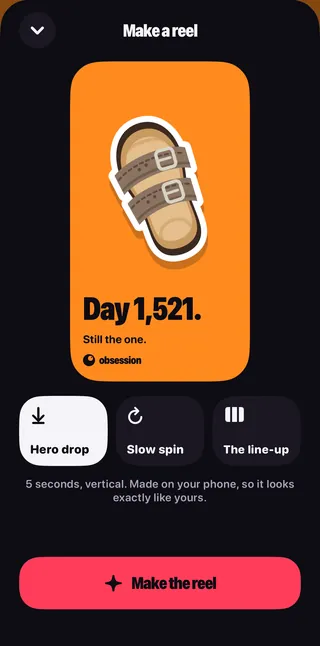
  • Make a reel: Hero drop, Slow spin or The line-up. 5 seconds, vertical. Made on your phone, so it looks exactly like yours.
    A reel, made on your phone.

Your collection, with room to grow

From your pocket.
To your bigger screen.

Keep using Obsession on your phone. When you choose account sync in a compatible app, your collection can travel with you to Android, iPhone and the web.

Open your collection
  1. 01

    Choose your sign-in

    Google, Apple or taskss.in, when available. Use the same identity on every device.

  2. 02

    Bring your collection

    Start from your phone and choose to sync. Existing local and iCloud data are never imported just because you sign in on the web.

  3. 03

    Keep the story going

    Browse your synced possessions and memories. Edit your words on the web; signed-in devices can pick up the changes.

Your collection. Your choice. No ads.

  • Your collection is stored on your phone

    Optional online features can send selected content for processing. See the privacy policy for what each feature sends and how local storage differs from online records.

  • Private to your account

    Synced collection records and media are kept by Big Helpers to provide your account. They are never made into a public profile.

  • AI only after you say yes

    Optional AI features ask before use. Depending on the feature, selected photos, recordings, text or collection summaries can be sent. The privacy policy explains the separate processing paths.

  • Free, without advertising

    An account is needed for online access and cross-platform sync. Local phone use remains available without signing in.

On Android, the cut-out tool in Google Play services sends Google a little diagnostic data, never your photos. The privacy policy has every detail.

Questions

Is Obsession free?

Yes. This version is free, with no ads and no in-app purchases.

Do I need an account?

For a local phone collection, no. Sign in when you want online access and account sync. Available providers and compatible app versions are shown in the sign-in and sync screens.

Where are my photos and notes kept?

Your existing collection remains in the app's private storage. Choosing account sync also uploads your collection records and selected media to Big Helpers so your signed-in devices can use them. Device backups, exported files and optional online processing have separate lifecycles. Read the privacy policy.

Is it on iPhone?

Yes. Get it on the App Store, or on Google Play for Android.

Does Obsession use AI?

Only if you want it to. Bragging rights and Your nickname are optional, and each one asks before it sends anything. Peeling the background off your photos happens on your phone. Here's exactly what the AI features send.

Will it try to sell me things?

No. Obsession never shows you something to buy, and Bragging rights is never a sales pitch.

Something isn't working. Who do I ask?

Email admin@bighelpers.in. We usually reply within two working days. The support page answers the common questions.

What can't you stop buying?

Give it a shelf, and remember why you bought it.

Get it on Google Play Download on the App Store